
Customer Care
How do I install a CEIVA app on my iOS phone or device (iPad/iPhone)?
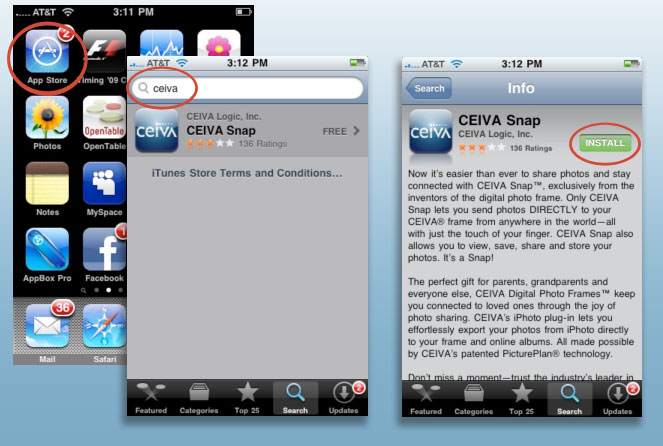
Installing CEIVA apps on your iPhone, iPad, or other iOS device
Open the App store on your device. Search for "CEIVA", then select CEIVA Snap and install it. It will now be available in your applications.
Contact Us
1-877-692-3482
CEIVA Logic Inc.
303 N Glenoaks Blvd STE 200Burbank, CA 91502
Customer Care Hours
Monday-Friday9:00 am - 4:00 pm PT