
Customer Care
My memory card photos won't display.
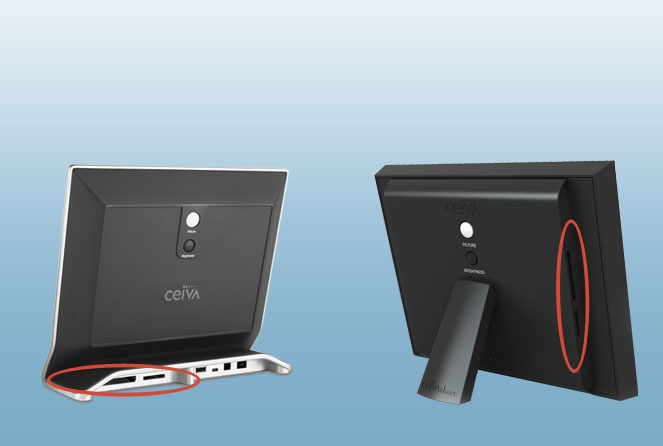
Supported Memory Card Formats
Your CEIVA frame's card reader supports most memory card formats including Compact Flash®, Memory Stick®, Memory Stick PRO™, Secure Digital™, MultiMedia Card™, and Micro Drive®. These formats may require an adapter: Memory Stick Duo™, Memory Stick PRO Duo™, SmartMedia™, miniSD™ and xD-Picture Card™*Things to try:
Confirm that your memory card is working. Insert it into your computer or digital camera. Make sure the only files stored on the memory card are photos.
Make sure you have registered your CEIVA frame at ceiva.com to activate your PicturePlan Photo Delivery Service.
Confirm that your CEIVA frame is displaying memory card photos by pressing Menu and checking Card Reader on the What to Display screen.
Remove the memory card, unplug your CEIVA frame for 10 seconds to power it down. Then plug the frame's power in again, wait for the frame to start displaying photos, and insert the memory card.
If you are still having problems, call our toll-free U.S.-based Customer Care Team at 1-877-MYCEIVA (1-877-692-3482) and we'll be happy to help.
* The CEIVA 1, 2, and 3 models do not have memory card reading functionality.
Contact Us
CEIVA Logic Inc.
303 N Glenoaks Blvd STE 200Burbank, CA 91502
Customer Care Hours
Monday-Friday9:00 am - 4:00 pm PT